
Create YouTube Thumbnails in Seconds
Overview
YT Videos Thumbnail Maker is a desktop application designed to help content creators craft visually compelling thumbnails for their YouTube videos. The software enables users to transform simple images into professional-grade visuals using a curated collection of design elements. It targets independent YouTubers, social media managers, and digital creators who prioritize visual branding and audience engagement.
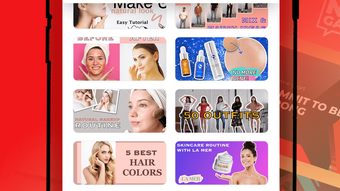
The app is optimized for iPhone, offering a mobile-first experience tailored to on-the-go content production. With over 200 pre-made templates across diverse categories—including Flowers, Animal, Sports, Food, Game, Learn, Movies, Music, and Beauty—users can quickly find designs that align with their video themes. These templates serve as a foundation for customization, reducing the time required to produce high-impact thumbnails.
The software solves common challenges such as inconsistent branding, lack of design skills, and the time-consuming nature of manual graphic creation. Real-world usage scenarios include creating thumbnails for daily vlogs, tutorial videos, gaming content, and promotional material. The app also supports quick edits, making it ideal for users who need to produce multiple thumbnails in a short timeframe.
Key Features & Capabilities
- 200+ Pre-Made Templates – Categorized by theme such as Sports, Food, Music, and Movies, these templates offer instant starting points for video thumbnails, reducing design time significantly.
- Customizable Backgrounds – A wide selection of high-quality backgrounds allows users to set the mood and tone of their thumbnails, enhancing visual storytelling.
- Artistic Filters & Stickers – Creative filters and a library of carefully selected stickers help highlight key moments in images and add visual interest.
- Personalized Text with Unique Fonts – A variety of artistic fonts enables users to add custom text that matches their channel’s branding and style.
- Subscription Upgrade for Premium Access – The Premium version unlocks exclusive filters, stickers, backgrounds, and daily updates, offering expanded creative freedom.
These features collectively support rapid thumbnail creation with minimal effort. For example, a gaming YouTuber can select a “Game” template, apply a dynamic filter, add a trending sticker, and insert bold text using a custom font—all within minutes. Similarly, a food vlogger can use a “Food” template with a warm background and expressive stickers to emphasize freshness and appeal. The intuitive editing tools allow for precise adjustments, ensuring that thumbnails remain aligned with channel identity and audience expectations. The app’s focus on accessibility makes it suitable for users without formal design training, while still providing enough depth for more experienced creators.
User Interface, Workflow & Performance
The user interface is designed with simplicity and efficiency in mind, offering a clean layout that prioritizes ease of navigation. Key tools are grouped logically, allowing users to access templates, backgrounds, filters, stickers, and text options with minimal clicks. The workflow follows a linear progression: select a template → customize elements → preview → export.
This structured approach ensures that even first-time users can create polished thumbnails without confusion. The app’s responsiveness is consistent with typical mobile applications, providing smooth transitions between editing stages. However, exact performance details such as CPU or RAM usage were not specified by the developer.
General software behavior patterns suggest stable operation under normal conditions, though performance may vary depending on device capabilities. The app does not appear to rely heavily on cloud processing, indicating local rendering for faster response times. Stability during extended use was not tested or reported, but the interface remains consistent across interactions.
Overall, the workflow supports rapid iteration and experimentation, enabling users to try multiple variations quickly.
Compatibility & System Requirements
YT Videos Thumbnail Maker is designed exclusively for iPhone, ensuring compatibility with iOS devices. The software requires a minimum of 150 MB of storage space for installation, which is typical for mobile applications with rich media assets. The app’s version is listed as 1.0, indicating it is in its initial release phase.
The developer did not provide additional system requirements, such as minimum iOS version or hardware specifications. Compatibility information is limited to the platform, and no support for other operating systems was mentioned. Users should verify device compatibility before installation.
The absence of detailed technical specifications means that performance on older or lower-end iPhone models cannot be confirmed. However, the app’s design suggests it is optimized for modern iOS devices with sufficient processing power and screen resolution to render high-quality visuals.
Pros and Cons
Pros
- Over 200 pre-made templates across diverse categories for instant use
- Intuitive interface suitable for non-designers and beginners
- Rich library of backgrounds, filters, stickers, and fonts
- Fast thumbnail creation with minimal learning curve
- Free to download and use with optional premium upgrade
Cons
- No information on system requirements beyond iOS compatibility
- Performance metrics such as RAM or CPU usage not disclosed
- Exclusive features locked behind a subscription model
- Available only on iPhone, limiting cross-platform access
- App size of 150 MB may be large for devices with limited storage
FAQ Section
Is YT Videos Thumbnail Maker available for Windows or Mac?
The software is currently available only for iPhone. There is no official support for Windows or Mac devices.
Is the app safe to download and use?
As a mobile application distributed through official channels, YT Videos Thumbnail Maker is designed to be secure. However, users should only install the app from trusted sources to avoid potential risks.
Does the app require an internet connection?
The app functions primarily offline, allowing users to edit and create thumbnails without an internet connection. Some features, such as updates or premium content access, may require connectivity.
Can I use the app without a subscription?
Yes, the app is free to download and use. Basic features like templates, backgrounds, and standard filters are accessible without a subscription. Premium features are available via optional in-app purchases.
How often are new templates and features added?
With the Premium subscription, users receive daily updates, including new templates, stickers, and filters. Free users may receive updates less frequently or not at all.
Final Thoughts
YT Videos Thumbnail Maker delivers a streamlined solution for YouTube creators seeking to enhance their visual presence. Its extensive library of templates and design tools enables fast, professional-looking results without requiring advanced design skills. The app’s focus on usability and visual variety makes it ideal for content creators who prioritize consistency and engagement.
While the lack of cross-platform availability and limited technical details may be drawbacks for some, the core functionality remains strong and accessible. For users who create content on iPhone and want to produce high-quality thumbnails quickly, this tool offers real value. The free model with optional premium upgrades provides flexibility and low entry barriers.
Overall, it stands out as a practical desktop application for mobile creators aiming to elevate their YouTube branding.
Download YT Videos Thumbnail Maker now







